Android · DICOM · CT · MRI
Open the scan your clinic gave you.
A CD or USB stick with your scan on it, and nothing on your phone will open it. Radix DICOM opens .dcm files and whole patient folders in seconds. No account, no ads, and your images never leave your phone.

Radix DICOM is not a medical device and is not for diagnosis, treatment planning or any clinical decision. DICOM is a registered trademark of NEMA; this app is not affiliated with or endorsed by NEMA.
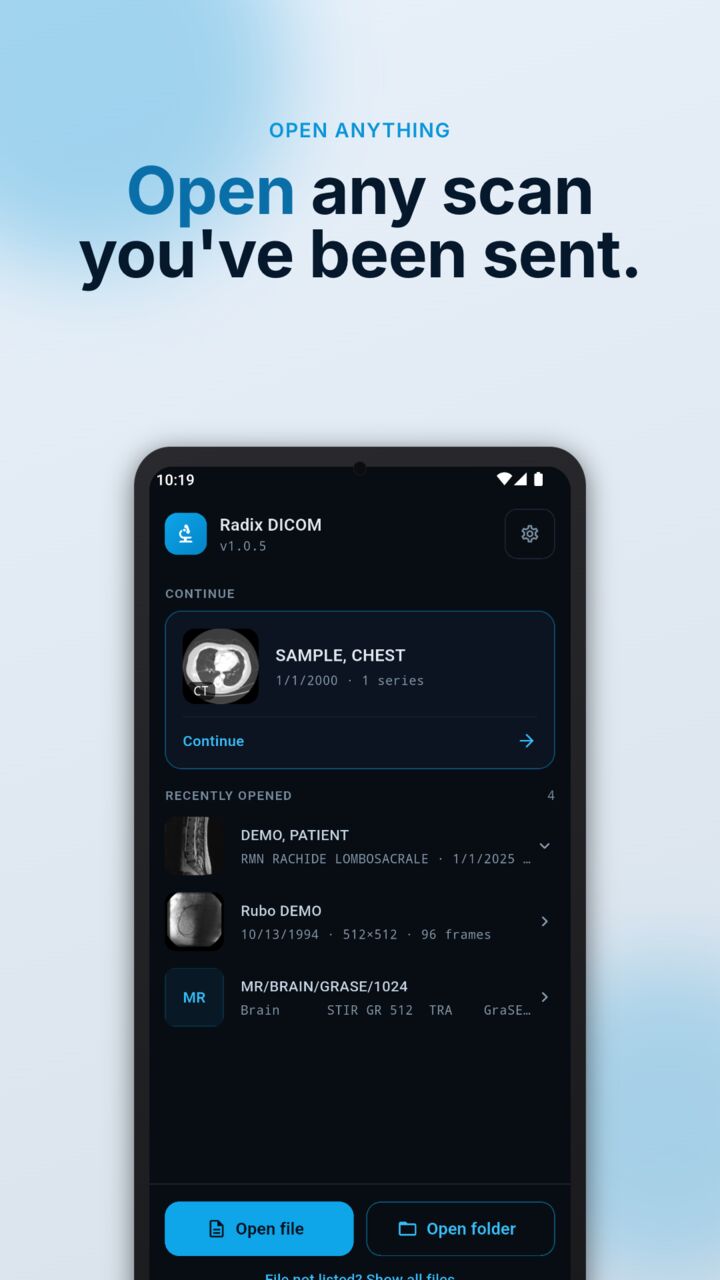
A clean look at any DICOM scan
Open anything DICOM
Pick a single .dcm file or a whole folder. The patient-CD layout your clinic burns just works, including nested subfolders and files with no extension.
Scroll CT and MRI series
Swipe or drag the scrubber through hundreds of slices, go full screen, pinch to zoom and pan. Decoding runs in native Rust, so scrolling stays smooth.
Cine playback
Play multi-frame studies such as angiography loops, step frame by frame and jump with the scrubber.
Window and level
Presets for soft tissue, lung, bone, brain and abdomen, fine centre and width sliders, and automatic windowing when a file has no preset.
Every tag, one tap
A full metadata panel with patient, study, series and image tags, so you can see exactly what the file says.
Private by design
No account, no ads, no cloud. The app has no server to send your images to. It sends only anonymous usage counts, listed in the privacy policy.
What it opens
.dcm files
Single images and multi-frame studies, with or without a file extension.
Patient-CD folders
The folder structure a clinic disc uses, including nested subfolders, opened in one step.
Compressed images
Uncompressed, JPEG, JPEG 2000 and RLE-compressed DICOM images.
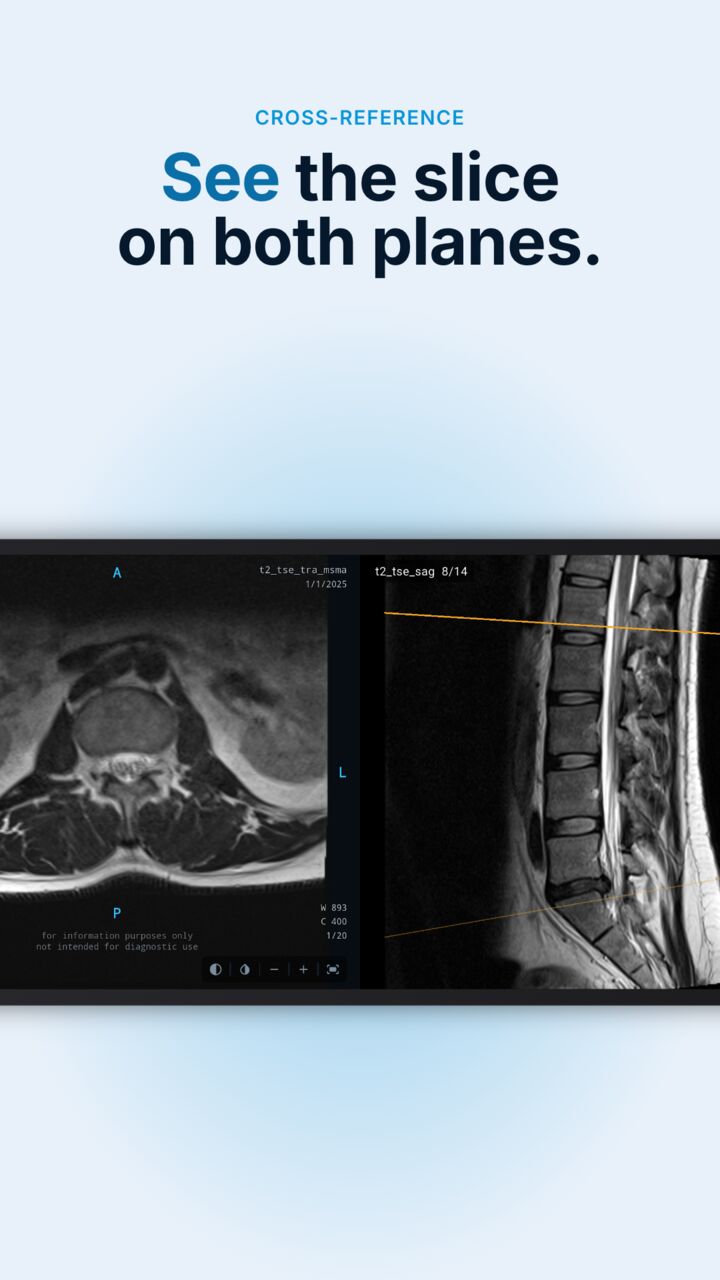
See the slice on both planes
With a CT or MRI that has several orientations, reference lines show where the slice you are looking at sits in the other views. Tap through a series and follow the line across the plane.
Free to try, unlock once
Free
- Your first 3 studies are free and stay open
- Reopening a study you opened is always free
- The bundled sample scan is always free
- Full viewer: scroll, cine, window and level, metadata
Unlock
- Open as many studies as you like
- One payment that lasts, no subscription
- No account, no ads, ever
- Price shown in Google Play before you buy, and it varies by country
Questions
Can I use Radix DICOM for a diagnosis?
No. Radix DICOM is not a medical device and is not for diagnosis, treatment planning or any clinical decision. It is for personal, educational and reference viewing. Always ask a healthcare professional, who will use cleared diagnostic systems.
How do I open the CD or USB stick my clinic gave me?
A phone cannot read a disc itself. Copy the disc's folder to a USB stick or to your phone from a computer, then tap Open folder (or Open file for a single image) in the app. The usual patient-CD layout, with nested subfolders, opens as it is.
Are my scans uploaded anywhere?
No. Decoding and viewing happen on your phone, and the app has no server to send images to. It sends anonymous usage counts (which features get used) and nothing that identifies a file, a scan or a person; the privacy policy lists them.
Which files and compression types does it open?
DICOM files with or without a .dcm extension, including uncompressed, JPEG, JPEG 2000 and RLE-compressed images, and multi-frame studies. If a file cannot be shown, the app says so, and a file that fails to open never uses up a free study.
What is free and what needs the unlock?
Your first 3 studies are free and stay open, and so does the bundled sample. To open more studies you unlock once, a single payment with no subscription. People who installed Radix DICOM before the unlock existed keep free access.
Which languages does the app speak?
English, German, Spanish, French, Italian and Chinese, following your phone's language.
Are there ads or an account?
No ads, ever, and no account.